
$14.49
On Hold
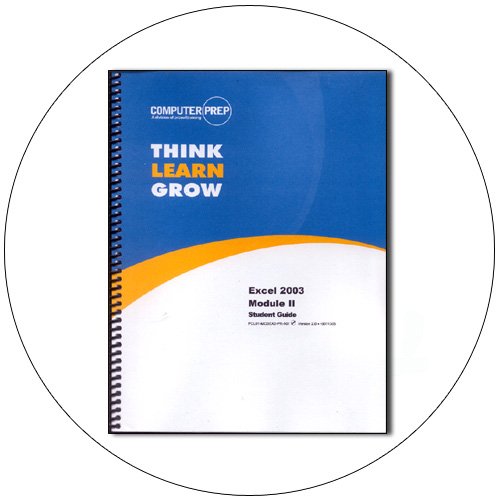
Excel 2003 Module II: Learning Guide w/ CD-ROM. ComputerPrep (New In Stock)
3 available
Details
Shipping: US-Mainland: free (more destinations)
Condition: Brand new
*The store has not been updated recently. You may want to contact the merchant to confirm the availability of the product.
Excel 2003 Module II: Learning Guide w/ CD-ROM. No. PCLO1-MO2EX2-PR-104 Ver. 1.0.rd062603 Spiral-Bound. ISBN: 0742325520 (New In Stock). Save over 50% cost. Student Guide. Excel 2003 Module II is a course that presents skills training and assessment for some of the skill sets that form the Microsoft Office Excel 2003 Specialist and Expert exams. This course provides competency in organizing and consolidating data from multiple worksheets, adjusting the screen display, working with advanced functions, using advanced formatting features, using advanced print options, filtering data, using comments, naming worksheet ranges and formulas, creating and modifying charts, protecting data, importing and exporting data, saving worksheets and workbooks as Web pages, and publishing worksheets and workbooks to the Web.
Guided, step-by-step labs provide opportunities to practice new skills. You can challenge yourself and review your skills after each lesson in the Lesson Summary and Lesson Review sections. Additional skill reinforcement is provided in Activities, Optional Labs, Lesson Quizzes and a Course Assessment that are available from your instructor.
This coursebook includes a supplemental CD-ROM containing the lab files used in class. To practice the skills presented in class or to try any labs that were not completed, refer to the Classroom Setup section for information about system requirements and using the lab files.
Course Objectives:
After completing this course, you will be able to:
- Organize multiple worksheets.
- Rename and color worksheet tabs.
- Consolidate data from multiple worksheets.
- Arrange, move among, hide and unhide multiple workbooks.
- Split and freeze worksheet panes.
- Adjust the zoom setting to reduce or enlarge the display of worksheet data.
- Display and hide toolbars.
- Use the NOW, DATE, VLOOKUP, HLOOKUP, IF and PMT functions.
- Create custom number formats and use conditional formatting.
- Format graphics and diagrams.
- Group and outline data.
- Adjust page scaling, orientation and margin widths.
- Create headers and footers, insert page breaks, set print areas, print repeating rows and columns, and control the display of cell error messages.
- Print multiple worksheets and entire workbooks.
- Filter data.
- Insert, display, hide, edit, delete and print comments.
- Name ranges and formulas.
- Use range names in formulas and delete range names.
- Create three-dimensional references.
- Create, move, resize, format and print charts.
- Change chart types and edit chart data.
- Protect workbooks, worksheets, cells and ranges.
- Hide data and assign passwords to workbooks.
- Import data from text files and from Microsoft Word 2003.
- Create and modify hyperlinks.
- Export Excel data to Microsoft Word 2003.
- Save worksheets and workbooks as Web pages, and publish worksheets and workbooks to the Web.
Product Details:
Brand: ComputerPrep
Publisher: Philip DeWald
Item No.:PCLO1-MO2EX2-PR-104
Version: 1.0.rd062603
Binding: Spiral-Bound
Course Time: 6 Hour
MPN: PCLO1-MO2EX2-PR-104
ISBN: 0742325520
UPC: 9780742325524
Condition: New In Stock
Qty In Stock: 3
:: Original Price: $29.99
:: Our Price: $14.49
L09_01_12-1-11
Guided, step-by-step labs provide opportunities to practice new skills. You can challenge yourself and review your skills after each lesson in the Lesson Summary and Lesson Review sections. Additional skill reinforcement is provided in Activities, Optional Labs, Lesson Quizzes and a Course Assessment that are available from your instructor.
This coursebook includes a supplemental CD-ROM containing the lab files used in class. To practice the skills presented in class or to try any labs that were not completed, refer to the Classroom Setup section for information about system requirements and using the lab files.
Course Objectives:
After completing this course, you will be able to:
- Organize multiple worksheets.
- Rename and color worksheet tabs.
- Consolidate data from multiple worksheets.
- Arrange, move among, hide and unhide multiple workbooks.
- Split and freeze worksheet panes.
- Adjust the zoom setting to reduce or enlarge the display of worksheet data.
- Display and hide toolbars.
- Use the NOW, DATE, VLOOKUP, HLOOKUP, IF and PMT functions.
- Create custom number formats and use conditional formatting.
- Format graphics and diagrams.
- Group and outline data.
- Adjust page scaling, orientation and margin widths.
- Create headers and footers, insert page breaks, set print areas, print repeating rows and columns, and control the display of cell error messages.
- Print multiple worksheets and entire workbooks.
- Filter data.
- Insert, display, hide, edit, delete and print comments.
- Name ranges and formulas.
- Use range names in formulas and delete range names.
- Create three-dimensional references.
- Create, move, resize, format and print charts.
- Change chart types and edit chart data.
- Protect workbooks, worksheets, cells and ranges.
- Hide data and assign passwords to workbooks.
- Import data from text files and from Microsoft Word 2003.
- Create and modify hyperlinks.
- Export Excel data to Microsoft Word 2003.
- Save worksheets and workbooks as Web pages, and publish worksheets and workbooks to the Web.
Product Details:
Brand: ComputerPrep
Publisher: Philip DeWald
Item No.:PCLO1-MO2EX2-PR-104
Version: 1.0.rd062603
Binding: Spiral-Bound
Course Time: 6 Hour
MPN: PCLO1-MO2EX2-PR-104
ISBN: 0742325520
UPC: 9780742325524
Condition: New In Stock
Qty In Stock: 3
:: Original Price: $29.99
:: Our Price: $14.49
L09_01_12-1-11


